Showing posts with label Networking. Show all posts

2008-07-01

Young Linux "Geek"

A large amount of this vacation, Patrick and I have been going to our Aunt Darla's house. Darla is my dad's youngest sister, and she has four children. She home-schools them, and for whatever reason, they are all very, very smart.

Darla's oldest son, Wade, is just about a year or two younger than Patrick I think, and since my last visit, he's become a pretty hilarious Linux programmer. He's pretty good at it I presume, he's definitely very quick at getting little file processing and browsing tasks done.

One of the comments he made was that he was a bit surprised that I wasn't able to do programming, as a result of the fact that I seemed like "such a massive computer geek" on my previous visit. Hilariously enough, my previous visit involved me re-combining little videos from my digital camera in Final Cut Pro, and a few other things in Illustrator and Photoshop, on the old PowerBook G4. I was definitely more of a creative arts geek at the time, than a programming geek, or a networking geek like I am now.

Of course, I don't feel too terribly bad about not being able to program, I've got a pretty good understanding of most networking concepts, and I've done pretty well in my studies of directory systems like OpenDirectory and ActiveDirectory. All I've got to do now is implement a few legacy directory systems like NIS or YP on A/UX, and then learn straight-up LDAP on systems like Solaris or IRIX, or even Linux, since those are easier to come by. There's also NetInfo, but I don't have enough (any) OPENSTEP systems running around to be able to do that. Like I said, networking geek.

Hilariously enough, Wade knows almost nothing about networking. He knows what packets are, probably in more detail than I'll ever need or care to have, but he doesn't understand the actual application of it, like how to plug some systems into a Linksys router in order to create a small network. I really wish my virtual machines were working, so I could show him some of the cool things a system like ActiveDirectory can do.

Another benefit of networking my computer to his is that it won't bug him so much when any of my online friends pop up with what he refers to "just punctuation!" There's a whole dialogue that some of my friends online and I have got going that sometimes doesn't use full sentences with proper structure and correctly spelled words. Ah well, I suppose it would be too difficult to explain communication theory and "Grammars" to a 14 year old. More importantly, I don't know if I want to bother.

Hilarity and youngness aside, it looks like Wade has a pretty good future ahead of him in the realm of open source programming. I wouldn't be surprised at all if after a bit of a formal education in computer science and maybe some volunteer work doing something like a Google Summer of Code, he would be able to get hired on at any of the big developers, like Novell, Oracle, or Sun. He could probably get hired at Microsoft too, were he willing to learn the Visual Studio development environment on Windows.

On the topic of the Internet, it's very interesting to see how someone who has access to it so rarely does when they get access to it. At first, Wade was unwilling to accept the idea that the Internet in and of itself was a form of entertainment, which is sort of an inevitability, at least for me. Then he wanted to use it to gain access to games, the one he tried was BZFlag, and that was "interesting" I suppose. If I could successfully get a Linux VM going, or if my Windows VMs were willing to work properly, there's a lot more we could do with even our small network.

Ahwell, one day he'll have more networking experience, I'm sure. I think he's still just amazed at the idea that we were able to connect our two laptops together with Ethernet, and share my silly EDGE connection to the Internet.

2008-06-11

OD Master!

Well, it's not actually as cool as it sounds, but I'm now officially an OpenDirectory Master! Today I ended up reformatting the server and setting everything up one step at a time, instead of the way I did it last time, which was "everything at once."

The moment of truth, when it finally happened, was nothing short of breathtaking. At first, I was able to add accounts just fine, which was our problem yesterday. Then, we were able ot see that the clients recognized something should be happening, but we weren't sure of the exact solution. Then it clicked, of course it had something to do with DNS! So I changed a setting on the client machine and blammo, the test user logged in perfectly!

We finished up the configuration of the PowerPC Macs (two G5 iMacs, three G4 iMacs, and one PowerMac G4) and tomorrow, we're distributing a new version of the system image we made on MacBook Pro 11 to the rest of the numerous intel-based Macs. From there, we'll be in business.

Tonight, I'm also setting up the software on the G3 iBook, which is just going to be an install of Mac OS X 10.4, iWork '08 and Office 2004. Much as I'd love to take the path of my Pismo and put Office'08 on there, I doubt that it would be appreciated. Tomorrow at some point I'll install Photoshop CS2 on the iBook, and with luck, be able to join it to the 10.5 OD server. If it works, Kate will have yet another machine she can have someone use. If it doesn't, I may put OS9 on it for her, along with Final Cut Pro 2 and recommend she have someone use it for on-site video capture. I presume it'll work though, as it's advertised as working, and the 10.5 system is nearly at a default configuration.

So, with luck that'll all work tomorrow, but the biggest and hardest part of the project is done.

2008-04-20

HP/Compaq 2133 Mini-Note: Much Potential

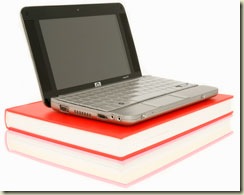
blag-HP7875 Recently, Hewlett Packard has introduced a really interesting product, the HP 2133 Mini-Note PC, which falls into the UMPC category. The top end configuration, which has two gigs of ram, a 160 gig 7200rpm hard disc, and VistaBusiness, is just about $750usd. Definitely not bad. I paid just about that much for my ThinkPad R61i, which would be spilling over all sides of that stack of books. Although the main failing of the machine is it's low battery life when using the 3-cell battery, along with the Via C7M processor.

In general, this thing is what I really wanted the MacBook Air to be. The keyboard isn't 100% of full size, but it looks like it's big enough, and the 8.9" screen is a generous 1280x768, just 32 pixels shy of the resolution my ThinkPad's 15.4" screen displays. If I didn't already have the ThinkPad R61i, I would want this to be my next mobile computer. Heck, even though I do have the R61i, I want one of these as my next portable, since I personally tend to want to let my desktops do all the heavy lifting with apps like Bridge and Photoshop.

The machine is also available in a few other configurations, including a basic linux model with a 4 gig SSD, half the ram and a slower processor, for less than $500. As someone who is always interested in how to improve the integration of computers into an education system, this machine struck me as a great machine for a one to one laptop program, at almost any level.

My initial idea involved a Windows Server 2008 domain, the high end 2133, and a bunch of the other pretty cool Microsoft technologies. The one non-microsoft piece my idea specifically calls for are Apple Airport Extreme base stations, mainly because when you've got a bunch of them on the same LAN, you can set up what I get the impression is one seamless wireless network where client devices can move from AP to AP without much fuss. But that's just a big presumption on my part.

The basic setup is pretty simple, Vista Business on each of the 2133 machines with a fairly healthy complement of Microsoft software, Office 2007, Outlook, Office Communicator, and probably a few auxiliary things such as SharePoint Designer. Each machine (the standard image for the machines, really) is set up to authenticate the user against a main file server, and if a network connection is not available, to use a locally cached copy of the profile.
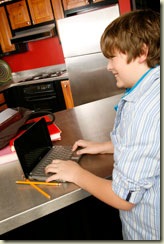
Look at how happy he is! Unfortunately, that's just about where normal laptop integration programs end. One thing I would like to see is the availability of charging docks for spare batteries. The ability of the mass charging docks to display the charge status of each battery hanging around would be great, and the charging docks would also be on the network, so administrators can keep track of each battery's status. The idea here is that as students move throughout their day, they can just exchange their battery with a fresh one from the charger.

One big modification I would make on the traditional NT-Domain client/server model would be the location of home directories. This requires a bit more effort, but in my network, each user's home directory would be stored primarily on their own notebook, with periodic synchronization to a storage cluster.

The big advantage to this is that the student can always be sure their data is with them, and in the event of hardware failure, the student can get their entire home folder loaded back into a replacement unit, or back onto a new hard drive. Another potential advantage of this, if everything is set up correctly, is that the student can sit down at a full-sized desktop computer, hook their Mini Note up to electricity, and to the school's wired network using the onboard gigabit port, and log into their account using a desktop computer. The desktop loads the profile very quickly from the Mini Note over gigabit, and the student is seamlessly working with their data, but in a full-sized environment. In an environment like a school newspaper, yearbook office or photography classroom, the student can keep their data on their own machine, but let a more powerful desktop computer with a larger screen do the heavy lifting.

Here's one more little change I'd make: Because the gigabit ethernet and the power port are both on the same side of the mini note, some kind of dock you just slide the mini note into would be ideal for a setup like this. Either one station with the capability to hold a number of mini notes, or individual stations to each mini note can sit with the student at the desktop computer.

It's like a fashionable version of the eeePC, but it runs Vista and has gigabit Ethernet. Student's data is with them always, and presuming the school even has desktops anymore, after implementing a one-to-one program, the student can easily access their home profile and information from the desktop computer as well. I'd say we're going pretty well.

Another thing I'd like to see though, is hardware monitoring for the administrator. Give the system the ability to send information about the hardware to the administrator, such as the s.m.a.r.t. status of the disk, and information from other sensors in the device, so as to let the administration know in advance if a machine will need replacement parts, or to be replaced.

I'm big into collaboration, and Microsoft has a lot of products out there just for that, many of which I really want to try out at some point. The most obvious collaboration product Microsoft has got is Exchange and Outlook. For well-trained Jr. High and High School students, a well-maintained Exchange setup could mean the end of "retarded" paper-based planners, and the beginning of just opening the Mini Note in order to check the calendar for their particular class to see what assignments are due at what time.  Students can either add to and maintain the calendar as they see fit, or calendars can be created for each section of each class, and the instructors can add and maintain items visible to each of the students.

An Exchange mail setup also means students have a quick and easy way to contact their instructors and each other in order to get details about assignments, get help, or ask other questions. Microsoft Office Communicator can be used in much the same way as Windows blag-MG8041Live Messenger, to create group chats of students in the same class, and to collaborate on projects during work time.

In lieu of a traditional courseware management system, SharePoint sites can be created for each class, as a way for the instructor to share downloadable files, lecture notes and calendar information for the students and parents to see. Students can also use SharePoint Designer to create personal pages and post information for other students to look at.

Much of what I've described really applies most to university students, as I doubt most high school students are interested in e-mailing each other, collaborating on projects, or even using the machine for anything other than music and MySpace. Unfortunately, many university students are the same way, but there are still situations where such a setup would work, and even if none of the users of a system take pleasure in the way it's set up,

A simplified version of the setup I outlined would do away with the desktop computers and the docks to hook the 2133s up to when using the desktops, but I would still retain the communal battery chargers and the ability for the systems to call home to provide status updates to the server.

Cool ideas, usable on any laptop, but you'd have to have something where you were sure the vendor was going to be using the same batteries for quite a long time. Unfortunately, unlikely to happen anywhere.

Ahwell, the machine still looks like it'd make a great tiny thing on which to run OneNote, and be easier/smaller to carry around than the ThinkPad R.

All of the images used in this post are copyrighted by Hewlett Packard. They were provided by HP in a media kit. I wish I was that good at cheesy product/portraiture photography.

2008-03-14

Thoughts on Labs

You might know that my job involves sitting around here in the South Learning Assitance Center quite often.  In addition to the fact that I really like to sit around here at the lab, I really like analyzing the setup, and tracking changes. So when in the past few days I started getting weird opportunities to see other computer labs on campus, I was naturally very excited to see how other departments set up their labs.

I'll start off by explaining that I work in an NAU ITS lab, which is considered to be the standard of labs here on campus. Residence hall labs are also on the same standard image as the machines. The whole system is set up to authenticate and load profile settings directly from dana, which is the definitive student file/mail/web server on campus, and which also happens to be a Solaris 8 box. The problem with the ITS lab image is that it's slow. 2.0GHz Core2Duo machines like our OptiPlex 745 machines feel slow and unresponsive when logging in, and I really do think the organization of everything on the lab image is rather atrocious. The ITS-Labs Macintosh computers are even worse.

The first lab I had the opportunity to see last Thursday was a lab in the art building. It's apparently a very highly gaurded secret, so I will probably receive a talking-to from my girlfriend (an art major) about this blog post, but suffice it to say that from the quick peek I got, it looked clean and well-maintained. There were two labs next to each other, one with Windows and one with Mac OS. The Windows lab was closed though, and the Mac lab appeared to have all Music keyboards. I don't know whether or not this lab authenticated directly from dana, or if it was like the Babbitt LLC described below.

alsomore_13.jpg

Another lab with which I've had the opportunity to become a bit more familiar is the Language Learning Center in the Babbitt Academic Annex. The lab was very clean, I'd go as far as to say it was imMaculate (horrible horrible pun), and it was filled completely with well-running G5 iMacs. The system authenticates against the same NAU LDAP setup as the rest of the labs do, but I think it does its actual authentication against a server that resides in the Babbitt building. I think home folders on that system may be on the MODL server. I noticed my login was very quick, and the environment was set up in a very very clean way. The dock was filled with only the apps that were really relevant, and my dana samba share was right there on the desktop.

Upon login at the LLC lab, Safari immediately opened and displayed this rather-helpful wiki page. It isn't actually the most helpful thing ever, but the concept is great, and with a bit of work it could become the definitive way to educate self-starting users about what's available in the lab, and how to go about doing things. Also, I really like the OS X Server 10.5 start page, and the built-in wiki/blog/calendaring functions look really cool. I've got to admit, I wish I had a Leopard server hanging around.

There are two departments on campus, just that I know of, that stray completely from the NAU-STUDENTS\ domain and use their own completely Mac or Windows based solutions, which is cool because they are typically much more efficient, having been implemented on a much smaller scale. On the other hand, it makes supporting users from the W.A. Franke College of Business Administration and the School of Communication rather difficult, because we're unable to help them with their passwords, login procedures, or even in the case of the SoC, the exact name of their login account.

The W.A. Franke College of Business Administration uses a windows domain with a really long esoteric name that's super difficult to type in when you're attempting to connect to it from home. On the other hand, what I found out is that it all pretty much "just works" when you're in the actual building. The Sun Ray thin clients are awful, slow little pieces of hardware, but their 2.0GHz Core2Duo OptiPlex 755 systems in the labs are really fast little computers, and they've got a lean and efficient set of software (mostly Office 2007 and VisStudio 2005) installed. The systems are also left in an attractive default Windows Classic scheme, in contrast to the ugly custom colors used on the ITS Labs image.

The School of Comm, whose principal server is called Titan, has a pretty interesting (one-server) setup. It's very similar to the network I set up at Kingman High School last summer, but bigger and with more users. Like the FCBA network, it's fairly efficient and you can usually be logged in and examining files fairly quickly, although they've taken less care to actually transfer all of their students uids over properly, and unlike the IT department in the FCBA, the School of Comm's network is managed only by one person. Also, their datacenter is less impressive, with only three racks, each with only one or two pieces of equipment. For shame. For shame. (Two xserves, an xserve raid, one or two powermac G4s, and the EditShare server.)

It's definitely interesting to see the differences between massive labs like the one here in the S-LAC that has a lot of computers that run slowly, and the smaller school-specific labs that, despite having fewer staff members, always seem to be cleaner and run better. I wonder if it's an effect of the fact that the S-LAC is open twenty four hours daily, or the fact that ITS labs have so many employees, whereas some of the smaller labs are either unmanned, but maintained by their full time staff, or if the size of the computer facility even has something to do with it.

My guess is that it's a weird combination of all of the above. The SLAC is a great lab, but from what I can see, the staff aren't all that well connected, the fact that the lab runs 24/7 means that there's often not enough time to do maintenance or things like shuffling computers around, and I've noticed that the whole arrangement of the lab just isn't as attractive as some of the other labs on campus. The feeling I get from the S-LAC is that it's primarily "a room with computers in it," whereas from some of the other labs on campus, I get the 'workspace' feeling.

IMG_0041It makes a huge difference to have a defined area for your work station, where you can shuffle through papers and everything, and I notice so many people who use the S-LAC tend to head toward a certain computer depending upon what they want to do. I've noticed that it's not that big of a problem for a younger person who only needs to check their MySpace or Facebook to use one of the "line computers" as I call them, which are on the east side of the lab, where there's nowhere to spread papers out. Whereas people who are always working on big projects prefer the computers that sit on their own midsized desks, or the computers that are alone on the long tables (there are one or two like that.)

I also think that the design of the S-LAC gives people a certain attitude about its use. Because they think of the S-LAC as merely a room with computers, it doesn't matter so much to them that they leave trash around, or draw on the desks, because it's not so much their responsibility to keep everything looking nice, as it is with users of labs in individual colleges. Either that, or in the smaller labs, staff are responsible for picking up after the users on a regular basis, which I can tell you based on my experience with the overnight shift, does not happen at all here at the S-LAC.

I really do think it's possible for the S-LAC to be an even more top-notch lab than it already is. We've got great equipment, and the building really is a pretty good design as far as labs go, but I'm going to end this rather long post here. I may elaborate a little bit in the future though, on what changes I would make to the SLAC to turn it into a better work environment for students.

2008-01-07

Back At Work!

Well everyone. I'm back at work. It's been a "fun" day because of all the calls relating to the recent Cisco Clean Access appliance upgrade, overall not the worst day I've ever had though. Just a whole heck of a lot of escalations, and I'm going to have to go back through my calls to make sure all of them have a category and an OS.

I was planning on a longer, nicer blog entry, but was unable to deliver due to my own laziness. Even though I could've gotten up at 8 or 9, I slept until about 11 this morning, which I'll admit was pretty awesome.

Now if only Pine Ridge Village worked properly. I have almost ten escalations right now of people who live in Pine Ridge, hopefully that gets fixed soon.

2007-12-18

decTOP

Well, I suppose it is time to let the world know that I’ve got the decTOP and it’s been set up, I did it last Friday at work, and I’ve gotten to know my way around Debian Linux and its apt system (which I manage using aptitude) fairly well.

For those who don’t know, the decTOP is an adorable little low-cost computer system. In a way, it’s what e-machines probably should have aspired to create. In another freaky way, it’s a lot like the technology eMachines was using in 1998-1999. It’s got a 366MHz AMD Geode processor, comes with 128mb of memory (Mine’s upgraded to 512) and a 10 gig hard disc. Aside from that, it has VGA graphics, AC97-based audio, and a usb Ethernet adapter, which works, although I would’ve liked onboard Ethernet.

Linux itself runs with acceptable speed, somehow it almost always does. The apache web server seems to dish out static HTML pages relatively quickly, but the real test of the decTOP for me is how well it handles an app like mediaWiki, which I use for the old ueberWiki which I’m eventually going to put back up. Unfortunately, it handles mediaWiki quite poorly, it currently lacks any decent caching software for PHP, and its slow processor makes it difficult to want to let it actually process every page on its own, especially if ueberWiki ever gets back up and starts getting hits again.

I suppose that that particular question is one for later, and if anything, it won’t be super-difficult to migrate back to a Mac or PC server from the decTOP if absolutely necessary, although I like the “uses almost no electricity” aspect of the decTOP. Plus there’s the whole thing about how its small size allows me to bring it from home to the university and back relatively easily, in comparison with, let’s say just for example, something huge like one of the surplusDells or the PowerMac G3.

For now I’ll move the ueberWiki over and if it becomes a huge problem, I’ll figure out how to move the ueberWiki back onto the iMac I suppose.

2007-02-14

Return of the iMac

The yet-unnamed iMac has returned. It's weird though... all of my data is gone, and I'm going to be spending a very long time getting everything returned to normalcy, I can tell. It is really unfortunate that what happened did, because it really reduces my trust - not only in computers in general, but specifically in this computer. This computer was less than 90 days old and it failed completely and totally - as a result of BootCamp with Windows XP, I had to get the motherboard and the hard disc replaced.

Unfortunately, replacing the hard disc means that all of my important data that was on the hard disc is gone. These include such awesomenesses as the UeberWiki, my entire iTunes library (minus whatever I may be able to derive from old archives), and a few of my photos.

It's somewhat devastating, but I guess that this is a good lesson for me in BACKING UP! I am going to start a backup plan this evening, where my home folder will be backed up on a regular basis. I also intend to back up the UeberWiki at least once per week, and create archives of files I am no longer using on DVDs, which will help reduce confusion and uncertainty, and maintain order and whatnot.

Luckily, I've gotten some network things sorted out (this also prevents unauthorized people from using my printer) and gotten the UeberWiki back online! http://134.114.127.122/ is the new URL. I'm going to create a new intro page, and that'll probably host my potential future video podcast or something.

2006-12-29

Cory Defeats Home Networking

Headlines are completely devoid of today's best news! I have defeated home networking. It turns out, the best idea was for me to put the base station just a little bit higher than it was, and everybody who once complained about wifi speed, is now jamming along at the full speed of IEEE802.11G. No additional equipment was purchase, no crawlspaces were entered, and no holes were drilled in the walls. However, there is still one unsightly wire still dangling about, I will have to see exactly what the issue is there. I think my mother may have some lead in her closet.

In other news, I have also defeated Network Address Translation! :D You can see the UeberWiki here: http://70.101.193.185/info/ for awhile. I am unsure of how long this will stay up, but if I notice the address changes, or if something else happens that requires me to notify you (like I move UeberWiki to a new server, upgrade the RAM in my PowerMac G3, or go back to university and the address has changed) then I'll do so.

As another note - Kris, Ms. Arnold's new helperguy, is really cool, and he's turning into one of my online buddies. He's "helped" a wee bit with the Wiki too, so if you see something unexpected (such as ranting about a squid or something on the photog Knowledge page) then don't be too surprised or worried. Also, you must bow down to the FVMs! (search the wiki for it.)

Now that we've discussed that, I must bid thee adieu and wish you many happy returns, and that all of your Moon-Tuesdays are excellently happy!

2006-12-16

Holy Glayven! This network needs help!

Hey Everybody! I'm posting this from home, where I think that my mom's network fails exactly every 128 megabytes, because I can't seem to get the 129 megabyte Aperture 1.5.2 update downloaded. In addition, I get dropped from AOL-IM every so often, and I don't even want to try MSN Messenger.

I just hooked up my printer to the dell and made a proposed network layout for what I call the Network Improvement Project. (That's also known as PNL01 for the NIP.) I printed it over USB (a first for my printer) because I don't feel like screwing around with trying to get everything rigged up with my printer and more than one of my computers at a time on this network. Honestly, even Kingman High School keeps a more functional network.

In other news, I also need to clean up mom's office, not only my stuff in it, but I think the whole thing needs a nice cleaning... I hope to make the stand-up desks more accessible, and get everything in here set up in a fashion that's satisfactory to me, so that I can go ahead and start getting things done, such as some work with a few retro Macintoshes, and the consumption of caffeine, and my network repair/improvement project.

So... currently I'm going to say that the network is in Condition: -10, fails every few minutes, and is in a bad physical state.

If I can improve it to Condition 0 or even have it in a Plus Condition, then I will be made of win. Please wish me luck in my network related quest!